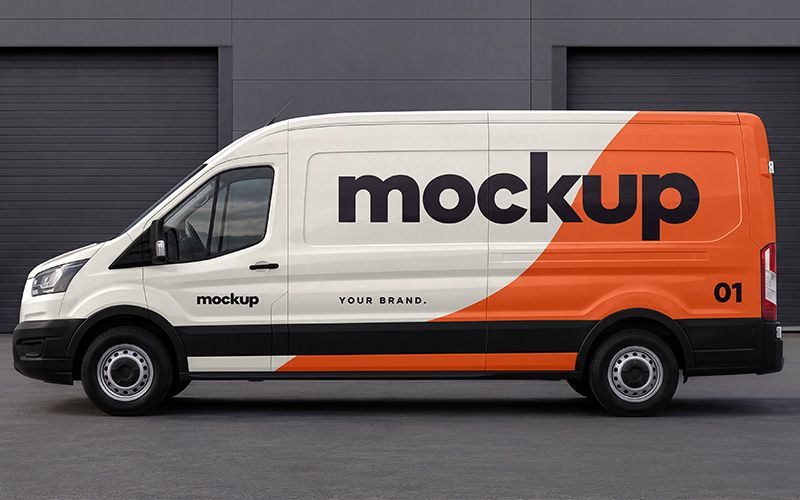
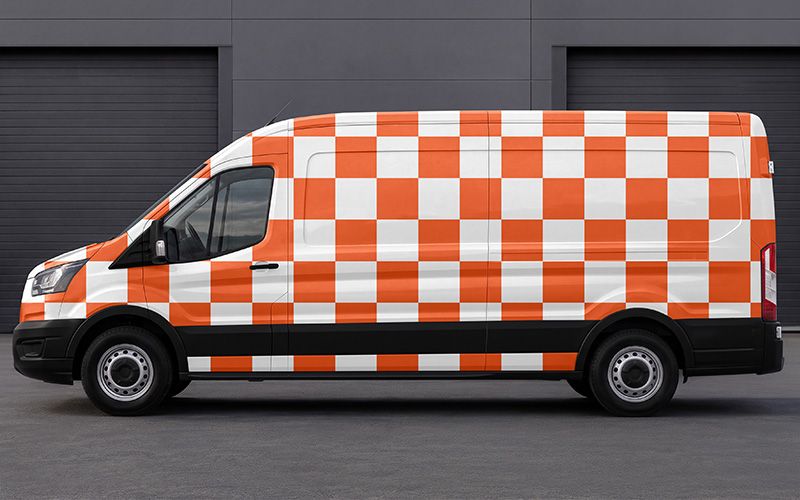
Present your vehicle wrap designs with this cargo van mockup. The scene features a delivery van in a clear side view, parked against dark industrial garage doors. Its broad body panels provide space for logos, bold typography, and graphic elements, while the neutral background keeps attention on your branding.
Use this delivery van mockup for courier services, moving companies, maintenance businesses, or fleet branding projects. For example, compare a simple logo application with a design that covers the entire side panel. You can also test different colour schemes and layouts before presenting your chosen direction to a client.
The PSD document measures 3840 × 2160 px at 300 DPI, with a horizontal 16:9 composition. Add the finished image to a branding proposal, portfolio case study, or company presentation. You can then export smaller versions for websites and social media.
Apply your artwork through Smart Objects in Adobe Photoshop. First, open the PSD and double-click the artwork Smart Object thumbnail. Next, replace the sample graphics and save your changes. Return to the main document to see your design in place, then export the finished image. Basic knowledge of Photoshop layers and Smart Objects will help you get started.
The two previews show the same scene and camera angle. One demonstrates a finished orange and white branding concept, while the checkered version shows artwork placement across the body panels. The door seams, contours, and wheel arches help you assess how your graphics work with the vehicle’s shape.
Keep key details, such as phone numbers and web addresses, clear of handles and panel gaps. Use the mockup to refine your presentation and explain the design to your client. For print production, prepare separate artwork using accurate measurements or a template for the specific vehicle.
This free mockup was created using AI tools.
